
Haste Chrome Extension Guide
Taobao / 1688 One-Click Buy & Ship Extension
Once installed, you can add parcels, submit shipments and request purchasing right from Taobao or 1688.
Download from Chrome Web StoreWorks on Google Chrome for desktop only. The extension buttons are labelled in Chinese, as shown below.
1Install the extension
Open the 圣亚国际集运 (Haste) extension page on the Chrome Web Store and click “Add to Chrome”.

2Log in
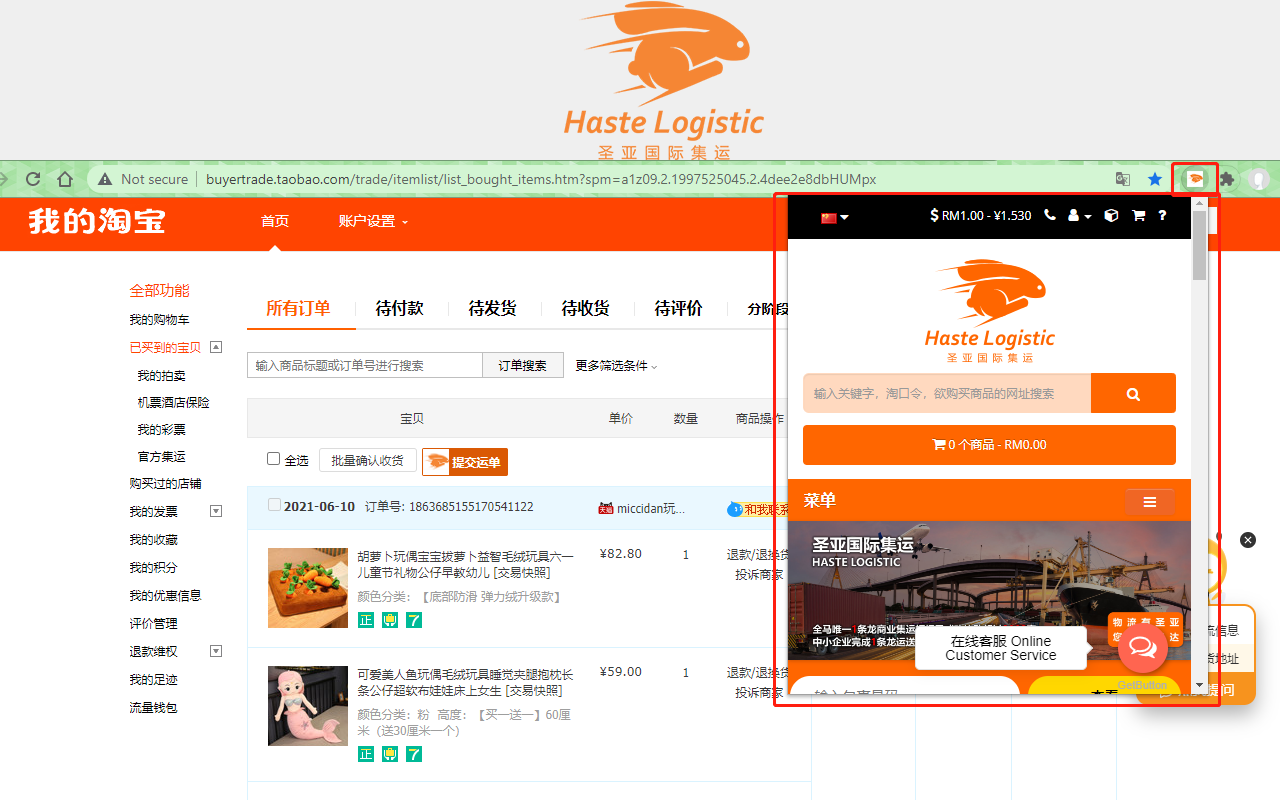
Click the HASTE icon at the top right of your browser and log in with your Haste account.
3Add parcels on Taobao / 1688
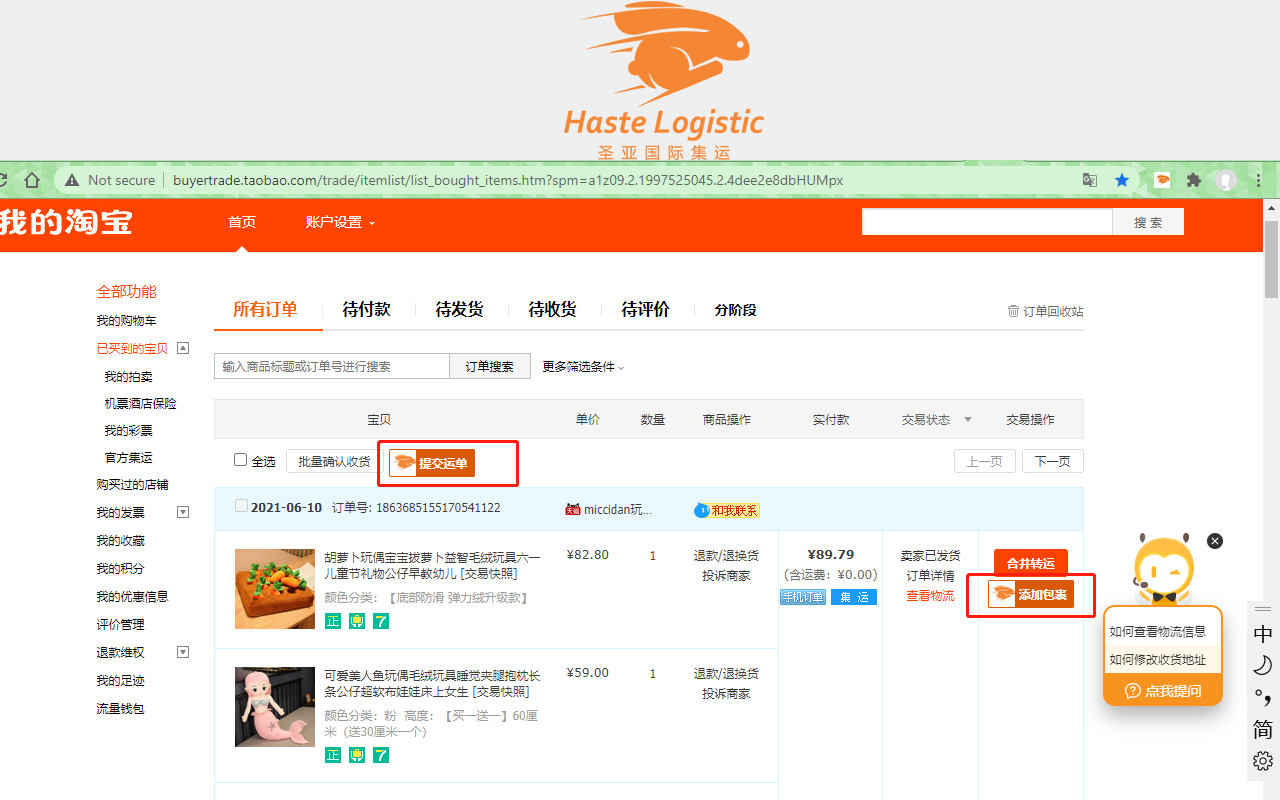
After logging in, you will see the 「添加包裹」(Add Parcel) and 「提交订单」(Submit Order) buttons next to your items on Taobao and 1688.
4Submit your shipment
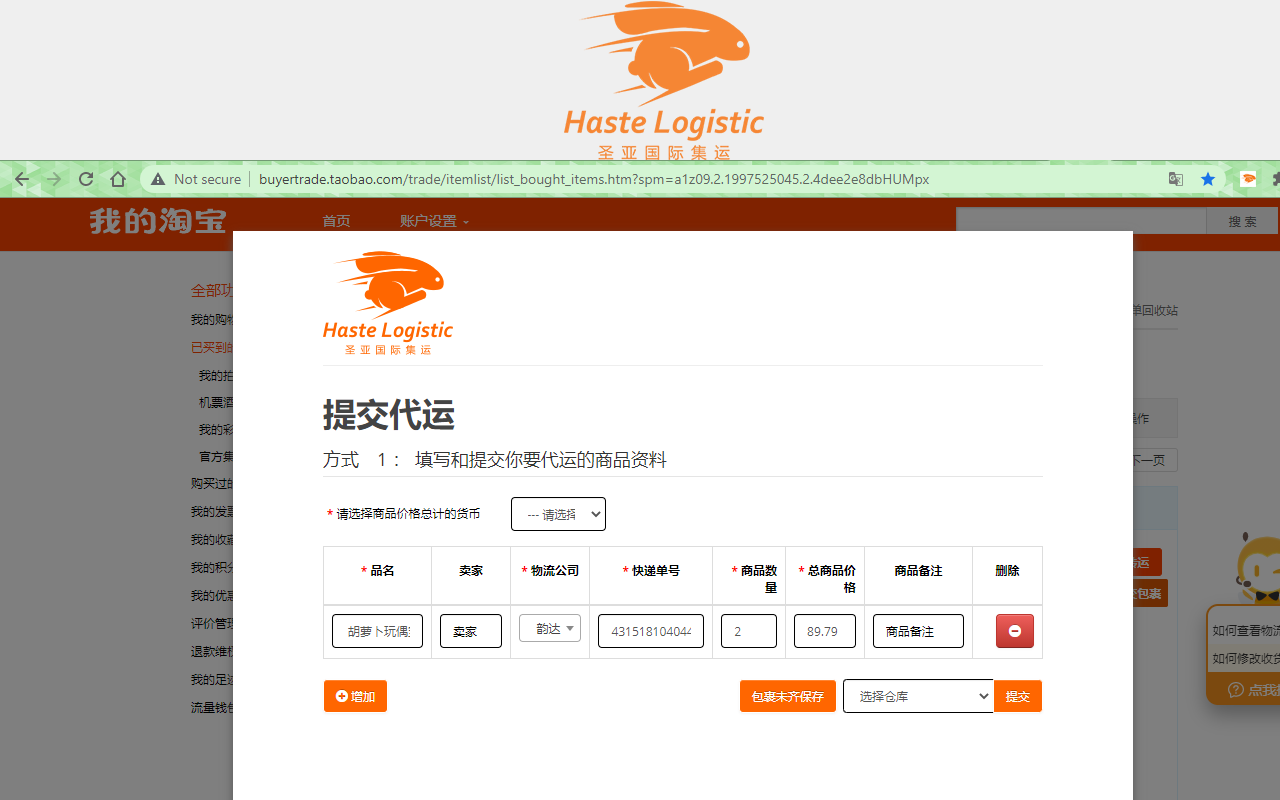
After adding parcels, click 「提交运单」(Submit Shipment) to send them to us right on the same page.
5Need us to buy for you?
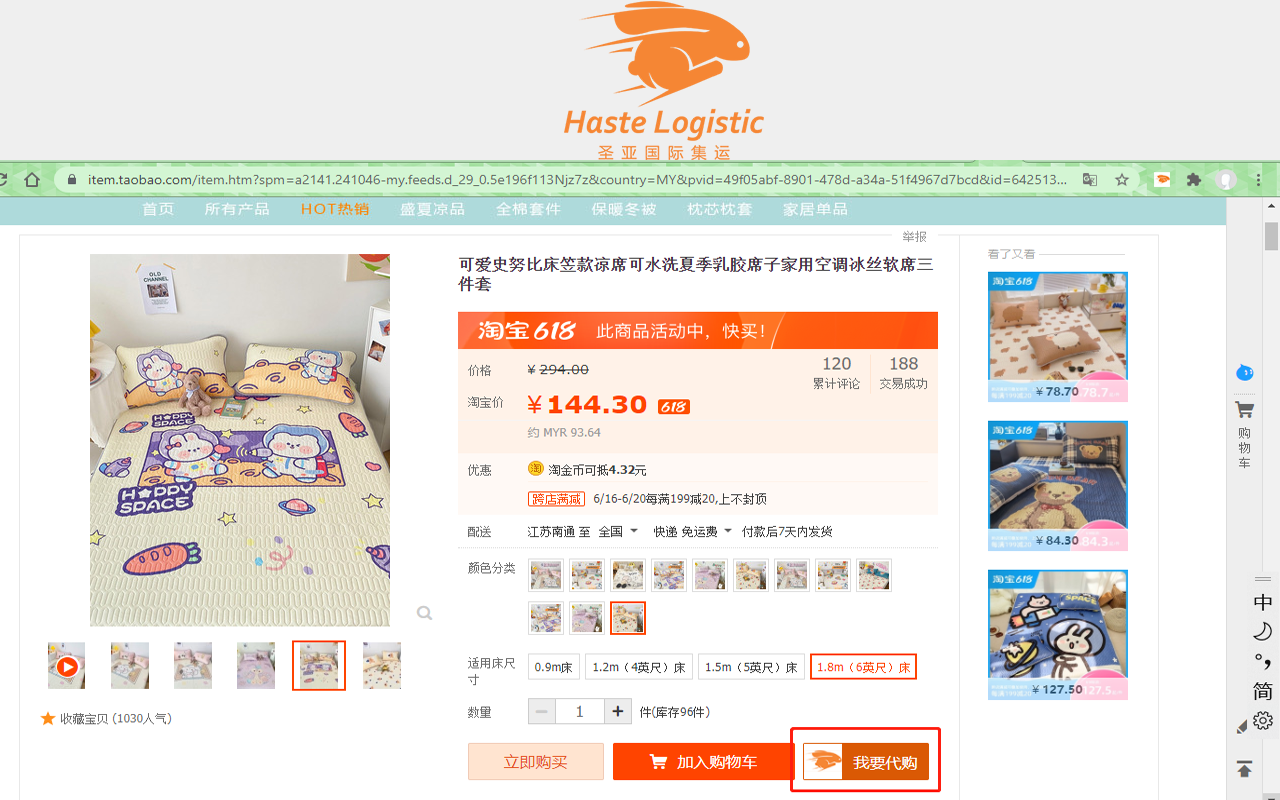
On the product page, click 「我要代购」(Buy for Me) and the item will be added straight to our system.
Need help installing or using the extension? WhatsApp our customer service: +60 11-6553 8686